Wechat and Alipay have successively issued statements!
A few days ago, WeChat issued a statement saying that
Tencent WeChat Payment is paying with UnionPay China Unionpay Quick Pass.
Promote deeper interconnection at two levels of service.
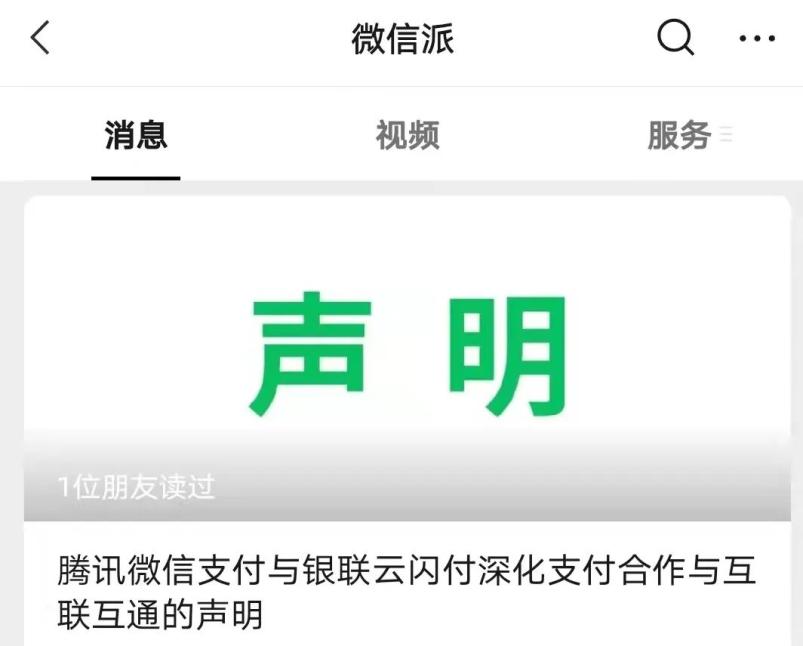
At present, the relevant progress is as follows:
1. Payment interworking
Wechat Payment has officially realized mutual recognition and mutual scanning of offline barcodes with UnionPay China Unionpay Quick Pass App, and users can complete the payment by scanning the WeChat receipt code through China Unionpay Quick Pass App in the capital cities of the country;
2. Service interworking
China Unionpay Quick Pass App fully supports the recharge service of Q coins, QQ music and Tencent video;
Wechat applet gradually supports China Unionpay Quick Pass payment. The first batch of online applications include some scenes of WeChat reading, Tencent video, Cat’s Eye, JD.COM, BBK, Ruixing and other applets. The gray scale test of this capability was started on September 22nd.
Previously, the two sides jointly promoted the cooperation between Tenpay, UnionPay and CCB, BOC, Bank of Communications, Ping An, CITIC and other banks, and realized the payment function of scanning the WeChat receipt code by the mobile banking App.
On October 2, Alipay also issued a document saying that,
We are cooperating with China UnionPay,
Under the principle of safety and order,
Promote the interconnection of online and offline multi-scenario payment.
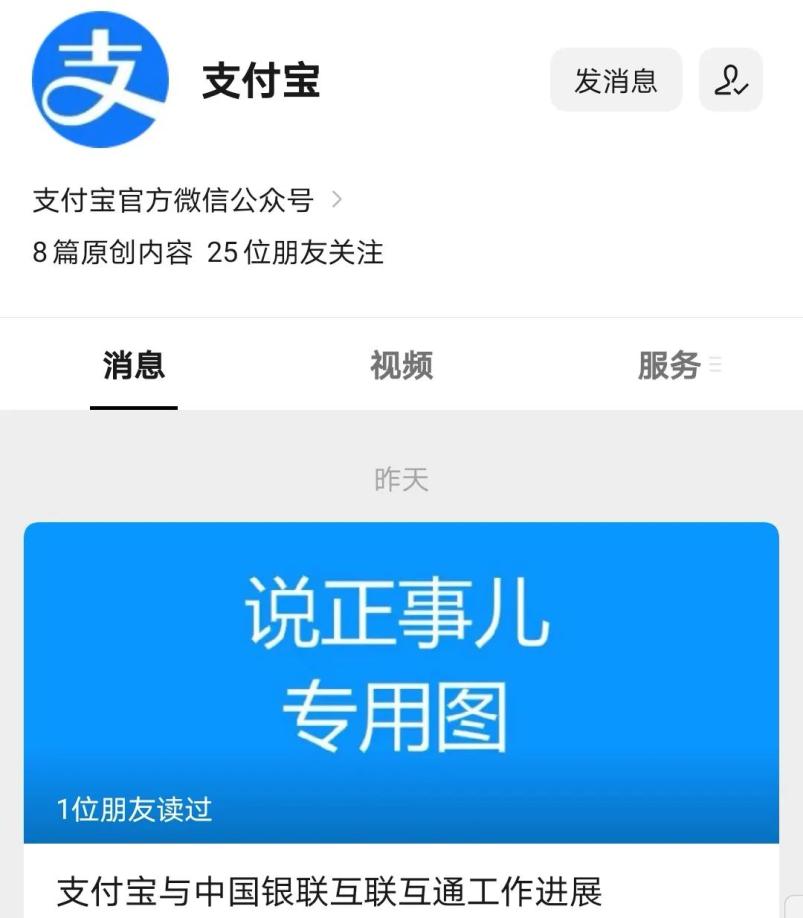
At present, the following progress has been made:
1. Open the online scene to UnionPay China Unionpay Quick Pass, covering 85% of Taobao merchants in the first batch.
In August this year, Alipay has completed the technical research and development of accessing UnionPay China Unionpay Quick Pass, and gradually opened the online payment scenario. The first open trading scene is Taobao platform. At present, 85% of Taobao shops have supported consumers to pay through China Unionpay Quick Pass. Users who install China Unionpay Quick Pass APP can directly choose "China Unionpay Quick Pass" to pay at Alipay cashier after submitting their orders at Taobao.
2, Alipay, China Unionpay Quick Pass scan code mutual recognition
Alipay and China UnionPay started close communication and exploration based on barcode interconnection business in 2020, and gradually promoted it after completing the pilot verification at the end of 2020. At present, mutual recognition of payment codes has been realized in Beijing, Tianjin, Guangzhou, Shenzhen, Chengdu, Chongqing, Xi ‘an and other cities across the country, and it is planned to cover all cities in the country in March next year.
In addition, Alipay and UnionPay jointly promoted the open cooperation of 23 banks and institutions, including ICBC, CCB, BOC, BOCOM, China Merchants Bank and CITIC, and supported the payment function of China Unionpay Quick Pass APP and various bank and institution APPs to scan Alipay receipt codes.
Nowadays, everyone is used to using mobile phones to pay for shopping.
Open the QR code of the mobile phone when queuing.
Just wait for the cashier to "drip" and then leave.
Very convenient and fast!
But someone saw this opportunity,
Let your money disappear in an instant!
You are waiting in line to pay,
I don’t know the moment I opened the QR code for mobile payment.
May have been targeted by a stranger following,
Steal your payment code!
Now an APP with payment function,
Most of them will have confidential payment,
Xiaobian reminds everyone here.
Try not to set up confidential payment!
How can I turn off confidential payment?
What else should be paid attention to in mobile phone security payment?
This will take you to know!
Do not set confidential payment.
Even if you have a dollar, you need to enter a password to pay. When queuing for payment, don’t show the QR code of your mobile phone too early. Protect it!
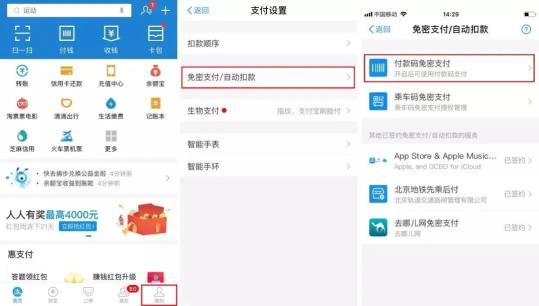
Steps for Alipay to cancel confidentiality exemption: Open the Alipay payment page and click "My" → Payment Settings → Payment Code for Confidential Exemption.
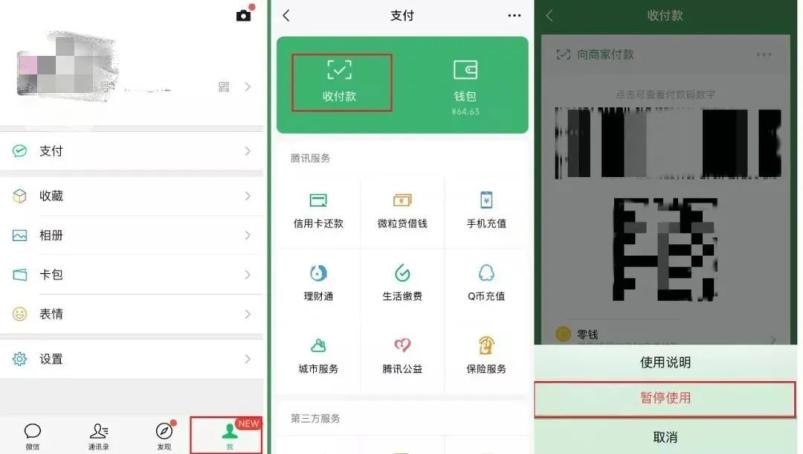
For the sake of financial security, WeChat can also suspend the use of QR code for payment until it needs to be consumed. The specific operation steps are as follows: open the WeChat payment page and click "I" → Payment → Collection and Payment → Suspension of use.
What else should be paid attention to in mobile phone security payment?
Don’t pay with strange confidential WiFi.
When making mobile payment, please ensure the security of the network environment, and do not use unfamiliar confidential WiFi for mobile payment. Unfamiliar confidential WiFi may have many security risks, and it is easy to disclose personal information and become the target of payment virus attacks.
Don’t shop in the mobile browser.
Online shopping suggests that you go to a regular shopping APP to buy, and it is best not to shop directly in the mobile browser. Browser shopping is prone to phishing websites, and the probability of being deceived is relatively high.
Don’t scan the QR code easily
Little friends must be more careful when scanning the QR code, and pay more attention when they are confirmed to be correct. If you find that the page that jumps out is wrong, don’t rush to operate, check the QR code, which may be a fake QR code made by a liar.
Do not reuse the login password and payment password.
The "lazy cancer" friends like to use the same set of login passwords and payment passwords for various accounts, which greatly increases the risk. Xiao Bian suggested that important accounts such as online banking, online payment, and chat accounts should have separate passwords and be revised regularly.
National Day holiday is not only the peak season for tourism,
It is also the peak season for consumption.
Many friends like to "buy in buy buy" during their visit.
Mobile payment is convenient and fast,
Use it correctly, like a treasure,
Improper use can also bring trouble,
Remind the people you care about quickly!
Our "video number" has been updated!
Source: Qingdao Daily is integrated from "WeChat School" WeChat official account, "Alipay" WeChat official account and China Mobile;
Editor: Zhao Chengyu; Proofreading: Chang Shuai; Producer: Liu Hongtao, Hou Zhaoxi;
Copyright belongs to the original author. If there is any infringement, please contact and delete it in time.
more
Original title: "WeChat and Alipay have issued statements! 》
Read the original text